
Compare the best llms.txt plugin options
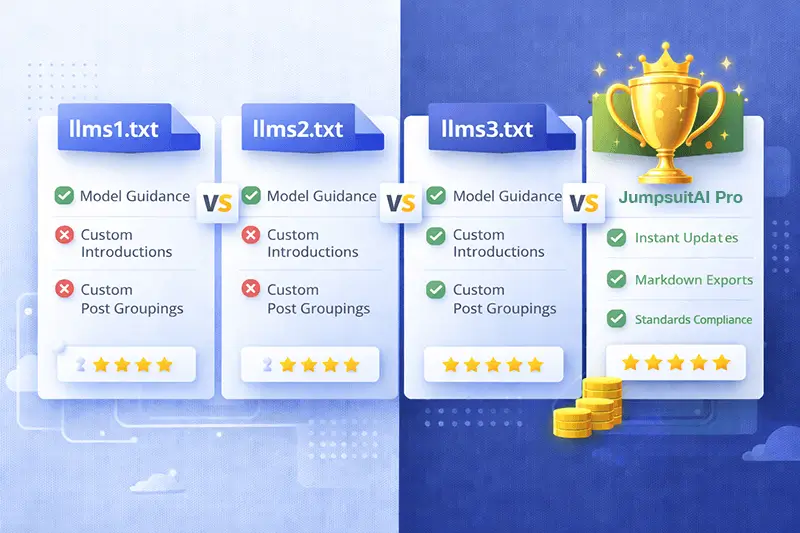
If you’re evaluating the best llms.txt plugin for WordPress, this llms.txt plugin comparison outlines how different tools handle automation, organization, and export workflows so AI systems can better understand your site. JumpsuitAI Pro focuses on automated generation of llms.txt and Markdown, with custom groups, bulk management, and customizable introductions—ideal for tech‑savvy site owners, developers, and managers who value speed and privacy.
To dive deeper into capabilities like custom groups and bulk actions, see the detailed JumpsuitAI Pro features, and when you’re ready to choose a plan, visit the pricing page.
How to evaluate the best llms.txt plugin
Use these criteria to compare options logically and avoid lock‑in:
- Automation and reliability: Does it automatically generate llms.txt on schedule or update when content changes?
- Custom structure: Support for custom groups, content sections, and customizable introductions to guide LLMs.
- Bulk management: Ability to manage large content sets quickly across posts, pages, and custom post types.
- Markdown export: Consistent Markdown output for AI‑ready content ingestion.
- WordPress integration: Native support for common workflows, multisite compatibility, and role‑based controls.
- Privacy and control: Runs locally in WordPress; no data offloading to third‑party services unless you choose.
- Ease of use: Clear UI, predictable defaults, and minimal manual coding.
- Documentation and support: Practical guides and FAQs for setup and troubleshooting.
- Cost structure: Consider llms.txt plugin free vs pro trade‑offs for scale, support, and advanced features.
If you’re also doing a broader AI SEO plugin comparison, note how llms.txt generation fits alongside schema, internal linking, and content tools offered by larger SEO suites.
Quick comparison matrix
The overview below highlights typical strengths and considerations for leading approaches in this emerging space.
| Tool or approach | Who it’s for | Key strengths | Considerations |
|---|---|---|---|
| JumpsuitAI Pro | WordPress users who want automation and control | Custom groups, bulk management, customizable introductions, Markdown export | Premium; compare features on the pricing page |
| Large SEO suites with built‑in generators | Teams standardizing SEO stacks | One console for SEO plus llms.txt basics | llms.txt is often one feature among many; customization may vary |
| Free plugins (Website LLMs.txt, LLMagnet, LLMs.txt Generator) | Budget‑conscious or testing use cases | Fast start, no cost | Feature depth and bulk tools vary; support options may be limited |
| AI marketing tools with llms.txt as a feature | Marketers using multi‑channel AI | Convenient if you already use the suite | llms.txt generator may be basic; WordPress integration can vary |
For hands‑on setup tips, check our succinct how‑to tutorial. You can also browse practical coverage on our AI SEO blog as the market evolves.
JumpsuitAI Pro at a glance
Automation and bulk management
JumpsuitAI Pro automatically generates llms.txt and Markdown to streamline updates and reduce manual coding. Bulk management helps you classify and update many items at once—useful for sites with large archives, custom post types, or frequent publishing cadences.
Custom groups and introductions
Guide AI systems with structure. Create custom groups and write customizable introductions that add context to sections of your site. This advanced content organization helps LLMs understand relationships across pages without editing templates by hand.
Markdown export for AI readiness
In addition to llms.txt, the plugin produces Markdown files—clean, consistent, and easy for AI tools to parse. If you want a deeper tour of these capabilities, visit the JumpsuitAI Pro features.
Privacy‑first and simple licensing
The product is a digital download with Freemius licensing—install directly on your WordPress site without sharing your data with third‑party processors for generation. No physical locations or NAP data are involved, keeping the footprint straightforward.
Free vs pro: which llms.txt plugin model fits?

This llms.txt plugin free vs pro decision depends on your scale and workflow:
- Choose a llms.txt generator free option when you’re experimenting, running a small site, or validating llms.txt’s impact. Expect basic generation and limited bulk or grouping features.
- Choose a pro plugin when you need automation, bulk management, custom groups, and Markdown export to support a content team or multisite network.
As your site grows, advanced organization reduces manual work and mistakes. If you anticipate growth—or you already manage multiple content types—compare plans on the pricing page and skim answers in the llms.txt FAQs.
llms.txt vs robots.txt: how they differ
- Purpose: robots.txt gives crawlers access instructions; llms.txt provides machine‑readable summaries and pointers intended to help AI systems understand your site’s content.
- Audience: robots.txt targets search engine bots broadly; llms.txt is designed for LLMs and AI systems.
- Content: robots.txt contains directives (allow/disallow); llms.txt highlights resources, sections, or documentation to guide understanding.
Use both files for complementary control: robots.txt for crawling behavior and llms.txt for structured guidance.

FAQs
What makes JumpsuitAI Pro different?
It combines automated llms.txt generation with Markdown export plus custom groups, bulk management, and customizable introductions. This lets you organize content for AI understanding without manual coding. Explore details on the features page.
Are there free alternatives?
Yes. You can start with a llms.txt generator free option such as popular community plugins. Free tools are useful for trials and small sites, though feature depth, customization, and support can vary.
Can I switch from another plugin?
Typically, yes. Export or reference your existing file, then configure groups and introductions in JumpsuitAI Pro to mirror or improve your current structure. For migration steps, check the how‑to tutorial and the FAQs.
Which plugin is best for multisite networks?
Requirements differ by network size and editorial workflow. If you need bulk management and repeatable structure across sites, a pro tool like JumpsuitAI Pro can help. Contact us to discuss your setup via the contact page.
Next steps
- Compare capabilities on the features page and confirm fit for your workflow.
- Review plans and licensing on the pricing page.
- Bookmark the llms.txt FAQs and our AI SEO blog for updates.
- New to the plugin? Start from the home page and follow the quick start.
When you’re ready, choose a plan that matches your automation needs and content scale. If you still have questions, contact us and we’ll help you evaluate options.