
AI Chat SEO: How to Get Your Site Cited in ChatGPT, Gemini, and Perplexity
People keep asking the same question in different ways:
- “How do I rank in ChatGPT?”
- “How do I show up in Gemini answers?”
- “How do I get cited in Perplexity?”
The honest answer is that there is no single switch you flip.
What you can do is make your site easier to understand, easier to verify, and easier to reuse. That is what “AI Chat SEO” really is: optimizing for selection and citation in AI-driven experiences.
Google’s own guidance on AI features in Search points site owners back to the fundamentals: create helpful content, make it accessible, and help systems understand it. Google for Developers
Meanwhile, tools like ChatGPT search and Perplexity explicitly include citations and links when they use sources. OpenAI Help Center
This playbook is built for WordPress operators and SEO teams who want a practical checklist, not theory. It also matches your blog editorial standards: evidence-first, practical, privacy-aware.
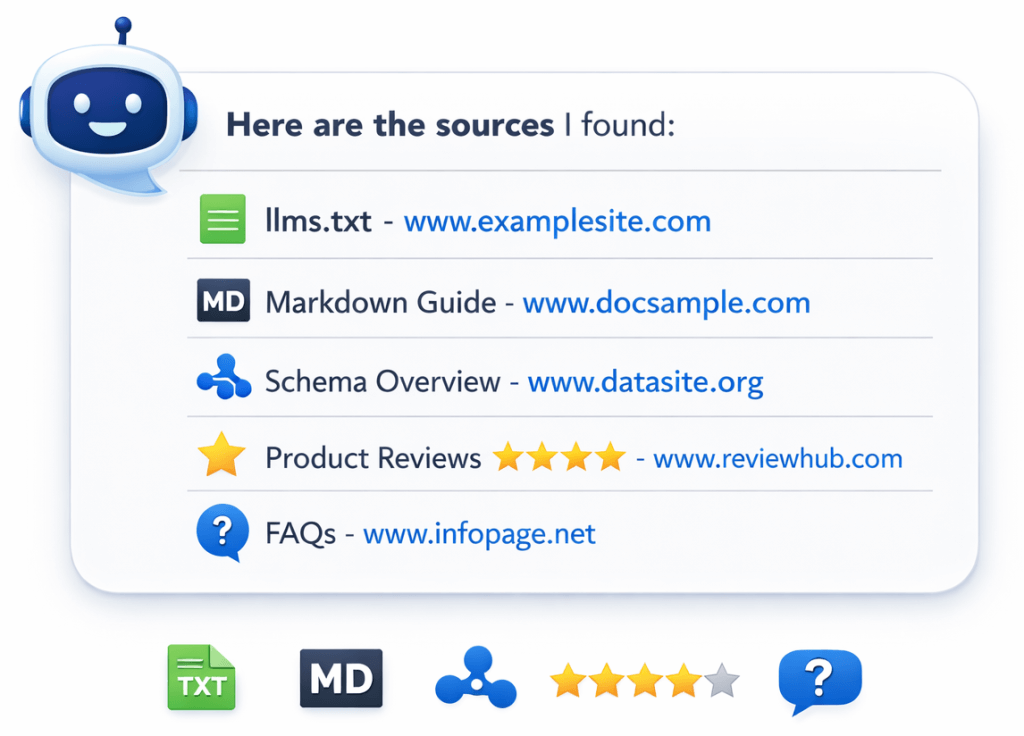
What “ranking in AI chats” actually means
When someone says “rank in AI chats,” they usually mean one of these outcomes:
- Your site is cited as a source (a link appears in the AI answer)
- Your brand is mentioned as an option or recommendation
- Your explanation is reused (definitions, steps, lists, comparisons)
- Your product category positioning sticks (you are described accurately)
Different systems do this differently:
- ChatGPT search can include inline citations when it pulls web sources. OpenAI Help Center
- Perplexity emphasizes clickable citations in answers. Perplexity AI
- Google AI features (like AI Overviews and AI Mode) can show links and sources, and Google provides guidance for site owners on being included. Google for Developers
The important mindset shift is this:
You are not optimizing for “position 1.” You are optimizing to be the best, clearest, most trustworthy source for a specific question.
The AI Chat SEO checklist (copy and paste)
Use this as your working checklist. The rest of this post explains each item and how to implement it in WordPress.
Foundation
- Your site is crawlable and indexable (no accidental blocks)
- Your pages have clear topical focus (one primary intent per page)
- Your internal linking forms tight topic clusters (not random cross-links)
Clarity layer (AI-ready structure)
- You publish an llms.txt file that points to your best pages
- You generate Markdown exports for audit-friendly, AI-friendly structure
- You group content into logical collections (pillars, FAQs, docs, comparisons)
Trust layer
- Your About page and identity signals are strong and consistent
- You maintain a strong review profile where it matters for your niche
- Your contact and policy pages exist and are easy to find
Structured data layer
- Organization markup is complete and accurate
- Article/BlogPosting markup is present on blog posts
- FAQPage markup is used where appropriate
- You validate structured data and fix critical issues
Content patterns that get cited
- Each key page starts with a direct answer summary
- You use clear H2s that match question-style searches
- You publish FAQs and long-form “complete guides”
- You include comparisons, definitions, and step-by-step sections
Maintenance
- You refresh your best pages on a schedule
- You prune thin or duplicate content
- You keep llms.txt and Markdown outputs updated

Step 1: Nail the basics that AI systems still depend on
Before llms.txt, before Markdown exports, before “AI SEO hacks,” make sure you are not losing on basics:
Crawlability and indexability
- Confirm you are not blocking important areas with robots rules
- Make sure canonical URLs are correct
- Make sure key pages are not orphaned (no internal links)
This matters because most AI experiences still rely heavily on web content that is discoverable and understandable.
One page, one primary job
AI answers are built from chunks. If your page mixes multiple intents, the chunks compete with each other.
Good:
- “What is llms.txt?” (definition, use cases, template, setup)
Bad:
- “What is llms.txt plus our pricing plus random AI news” (confused intent)
Step 2: Add the clarity layer (llms.txt + Markdown)
If you want one “unfair advantage” in this new space, it is making your site easier to map.
JumpsuitAI provides this clarity layer by automatically maintaining /llms.txt, configurable /llms-full.txt, and eligible .md endpoints. The Free plugin handles the core publishing workflow, while Pro adds custom groups, manual group ordering, descriptions, optional sections, and customized introductions.
Why llms.txt helps
llms.txt is a curated map. Instead of “everything on the site,” you are telling systems:
- Start here
- These are the pillars
- These are the best FAQs
- These are the comparisons and docs
That aligns with your blog’s focus on llms.txt standards, comparisons like llms.txt vs robots.txt, and AI SEO tips.
Why Markdown exports help
Markdown exports support:
- audits and reviews outside the editor
- clean structure for documentation workflows
- a lightweight “content library” that is easier to parse
Your features page explicitly frames Markdown export as a portable snapshot for audits and content ops.
The subtle but important part: grouping
A flat list is not a strategy.
Groups communicate hierarchy:
- Products
- Docs
- Blog pillars
- FAQs
- Comparisons
- Locations (if applicable)
Your plugin positioning calls out custom groups and advanced content organization for exactly this reason.
Implementation tip:
Start with a small llms.txt that lists only your 10 to 30 best pages, grouped by intent. Expand after you see it working in your content ops workflow.
Step 3: Build trust signals that AI answers tend to reuse
Even when citations show, users do not always click. That makes brand trust and recognizability more important, not less. Research from Pew found that when Google results include an AI-generated summary, users are less likely to click on traditional links. Pew Research Center
Your job is to make sure that if your content is referenced or cited, it feels credible at a glance.
Reviews and reputation
In local and service categories, review signals matter to users and often shape brand perception. Your goal is not “game reviews.” Your goal is consistent, high-quality feedback:
- request reviews at the right moment (after value is delivered)
- respond to reviews, especially negative ones
- fix recurring issues that show up in review text
Identity pages that reduce doubt
At minimum:
- About
- Contact
- Policies (if relevant)
- Clear author attribution where appropriate
This is boring, and it works.
Step 4: Use structured data so systems understand what your pages are
Structured data is not a guarantee of visibility, but it helps systems interpret your content. Google’s documentation for FAQ structured data is clear that structured data can help with rich results, but features are not guaranteed. Google for Developers
Minimum structured data set for most businesses
- Organization
- WebSite
- BreadcrumbList
- BlogPosting for articles
- FAQPage where you have a true FAQ section
Your site plan also calls out these schema types across the site and blog posts.
FAQPage done correctly
FAQPage is specifically meant for pages that list questions with answers. Schema.org
Do not mark up random content as FAQ if it is not actually a FAQ section.
Tactical move:
Put 5 to 10 tight FAQs at the end of each pillar page. They act like a “question catch net” for long-tail searches and “People also ask” style prompts.
Step 5: Publish content in formats AI answers love to cite
AI systems often reuse content that is:
- direct
- structured
- definitions-first
- example-rich
- easy to verify
Here are the formats that consistently perform well in “answer selection.”
1) Definition-first intros
Start with a 2 to 4 sentence answer that a reader can quote.
Example pattern:
- “X is…”
- “It is used for…”
- “It helps by…”
- “In WordPress, you can implement it by…”
2) Question-style H2s
Make your H2s match real searches:
- “What is llms.txt?”
- “How does ChatGPT choose sources?”
- “Does Markdown help AI answers?”
- “What schema should I add?”
This is a simple way to align with question intent.
3) Comparisons
Comparison pages get cited because they resolve decision uncertainty:
- X vs Y
- Free vs Pro
- Best tools for Z
Your plan explicitly includes comparison content in the funnel.
4) Step-by-step sections
When you include steps, you create reusable answer chunks.
Pro tip: put the steps in a list, then add a “common mistakes” section right after. That reduces bad outcomes and increases trust.
5) Long-form, complete guides
Long-form wins when it is not fluffy.
A “complete guide” should include:
- definition
- use cases
- examples
- how-to steps
- common mistakes
- FAQ section
That is exactly why your first two posts were structured as pillars.
Step 6: Create a WordPress “AI visibility stack” in the right order
If you do this out of order, it becomes a mess.
Recommended order:
- Clarity layer: llms.txt + Markdown exports + grouping
Your product is designed to automate this, reduce manual work, and keep the output organized at scale. - Structured data layer: core schema, validate, iterate
- Trust layer: reviews, identity pages, author clarity
- Content layer: FAQs, long-form pillars, comparisons, definitions
- Maintenance layer: refresh schedule, pruning, internal linking updates
This matches your editorial goal of reducing manual work in WordPress with reproducible workflows.

Step 7: Measure what matters, ignore what does not
AI visibility is messy to measure because different tools behave differently.
Still, you can track meaningful proxies:
Track these
- Growth in long-tail queries and “question” search traffic
- Increased impressions for FAQ-style keywords
- Engagement on pillar content (time on page, scroll depth)
- Branded search lift (people searching your name after exposure)
- Mentions and citations you can observe in tools that show sources
Be careful with click expectations
As mentioned earlier, AI summary experiences can reduce clicks in classic ways. Pew Research Center
That means you should treat visibility as brand lift plus downstream conversions, not just raw organic clicks.
Common mistakes that kill AI answer visibility
- Publishing thin “AI SEO tips” posts with no examples
- No clear topical structure (random blog posts, no clusters)
- No FAQ sections (missing the long-tail capture)
- Broken schema or spammy schema
- No trust pages (no About, no contact clarity)
- No maintenance (stale pages, dead links, outdated “best tools” lists)
- No clarity layer (no llms.txt, no curated paths, no grouped guidance)
FAQs
Can I actually “rank” in ChatGPT?
ChatGPT search can show citations when it uses web sources, but there is no universal “rank” like a traditional SERP. Focus on being the clearest, most useful source for specific questions and building trust signals that make your brand worth choosing. OpenAI Help Center
How do I get cited more often in Perplexity?
Perplexity uses citations in answers and links to original sources. Pages that start with direct answers, use clear headings, and include structured sections like FAQs are easier to cite. Perplexity AI
Does Google AI Overviews use my website content?
Google provides site-owner guidance for AI features in Search and how your content can be included in these experiences. Focus on helpful content and clarity. Google for Developers
What is the fastest first step for WordPress sites?
Start by creating a curated llms.txt and maintaining a structured Markdown export workflow, then layer in schema, FAQs, reviews, and long-form content. JumpsuitAI is built to automate that first clarity layer inside WordPress.